
 Admin
Admin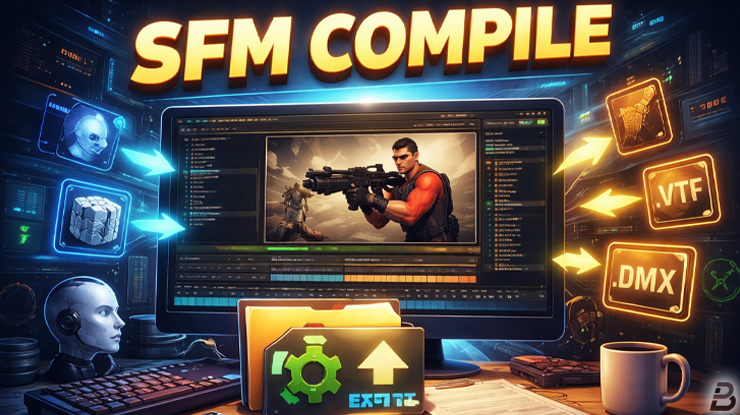
Introduction
If you are new to animation or movie making, you may have heard the term SFM compile and felt confused. Many beginners see this phrase when searching for tutorials or when facing errors in Source Filmmaker. The good news is that SFM compile is not as hard as it sounds.
What Is Source Filmmaker
Source Filmmaker is a free animation tool made by Valve. It is used to create short movies, posters, and scenes using game characters and maps. Many creators use it for fun, learning animation, or making content for YouTube.
Source Filmmaker works with the Source game engine. Because of this, it uses special file types for models, textures, sounds, and animations. These files often need to be prepared before they can be used. This is where the idea of compile comes in.
What Does SFM Compile Mean
The term sfm compile usually has two main meanings:
- Compiling assets so they can be used in Source Filmmaker
- Compiling or rendering a finished animation into a video
Both meanings are correct, but they are used in different situations. Beginners often mix them up, so it is important to understand the difference.
SFM Compile for Assets
What Are Assets
Assets are the parts you use to build a scene in Source Filmmaker. These include:
- 3D models like characters and props
- Textures that give color and detail to models
- Animations for movement
- Materials that control how surfaces look
Most custom assets are created outside SFM, often in 3D software like Blender.
Why Assets Need to Be Compiled
Source Filmmaker cannot use raw 3D files directly. For example, a Blender file cannot be loaded into SFM as it is. The files must be converted into formats that the Source engine understands.
This conversion process is called compiling. After compiling, the assets become usable inside Source Filmmaker.
Common File Types After Compile
When assets are compiled for SFM, they usually become:
- MDL files for models
- VTF and VMT files for textures and materials
- DMX or SMD files for animations
If even one file is missing or broken, the model may show errors in SFM.
Tools Used for SFM Compile
Several tools are commonly used during the compile process. Each tool has a specific job.
Model Compile Tools
Model compile tools convert 3D models into Source engine formats. These tools read setup files that explain how the model should work in SFM.
Texture Tools
Textures must be converted into Source texture formats. This step makes sure colors and details show correctly in the viewport and final render.
Script Files
Script files tell the compiler how to build the model. They include information about bones, materials, and animations.
These tools work together to complete the SFM compile process.
Common Problems During Asset Compile
Many beginners face errors while compiling assets. Some common issues include:
- Wrong file paths
- Missing textures
- Broken bones or animations
- Incorrect script settings
These problems can cause models to appear invisible, pink and black, or broken in SFM.
SFM Compile for Rendering
What Is Rendering in SFM
Rendering is the process of turning your animation timeline into a final video or image sequence. In simple words, it is how you export your movie from Source Filmmaker.
Many people also call this step compile, even though it is different from asset compiling.
How Rendering Works
When you render in SFM, the software processes:
- Camera movement
- Lighting
- Character animation
- Particles and effects
- Sound
After this process, SFM creates a video file or a set of images that you can share or edit further.
Render Output Options
Source Filmmaker allows you to export your project as:
- A video file
- An image sequence
Image sequences are often used for higher quality and better editing control.
Why SFM Compile Is Important
For Asset Use
Without compiling assets, you cannot use custom models or textures in Source Filmmaker. Compile makes creative freedom possible by allowing you to add new content.
For Final Output
Without rendering or compiling your project, your animation stays inside SFM only. The compile step creates a final product that others can watch.
Best Practices for SFM Compile
Here are some simple tips to make SFM compile easier:
- Keep your files organized
- Use clear folder names
- Check file paths carefully
- Test assets step by step
- Read error messages slowly
Good organization saves time and avoids frustration.
Learning SFM Compile as a Beginner
Learning SFM compile takes time, but it gets easier with practice. Many creators start with simple models and short animations. Over time, they move to more complex projects.
Do not worry if you make mistakes. Errors are part of the learning process.
SFM Compile in Real Projects
In real projects, creators often use both types of compile:
- They compile custom assets before starting animation
- They compile or render the final movie after finishing the scene
Understanding both steps helps you work faster and with fewer problems.
Final Thoughts
SFM compile is an important part of working with Source Filmmaker. It allows you to use custom assets and create finished videos. While it may feel complex at first, the core idea is simple. Compile prepares your work so SFM can use it correctly.
Frequently Asked Questions
1. What does sfm compile mean
SFM compile means converting assets or rendering animations so they work properly in Source Filmmaker.
2. Is sfm compile hard to learn
It can be confusing at first, but with practice and simple guides, it becomes easier.
3. Do I need to compile assets to use SFM
Only if you use custom models or textures. Default assets are already compiled.
4. What happens if compile fails
The model may not appear correctly, or SFM may show error messages.
5. Can beginners learn sfm compile
Yes, many beginners learn it step by step with basic tutorials.
6. Is rendering the same as compiling
Rendering is often called compiling, but it mainly means exporting the final video.
7. Why do models appear pink and black
This usually means textures are missing or not compiled correctly.
8. Can I use Blender with SFM compile
Yes, Blender is commonly used to create models that are later compiled for SFM.
9. Do I need coding skills for sfm compile
Basic script editing helps, but advanced coding is not required.
10. How long does it take to learn sfm compile
Basic understanding can take a few days, while mastery takes longer practice.
READ MORE : Popular Google Doodle Games You Can Play for Free Online
Connect with us for more information : Blog Pioneer
